Takes only 15 minutes of your time. No blockchain description, no in-depth tech details, no NFTs (only FTs), no crap. Just all the essentials and words you need to know for practical usage.
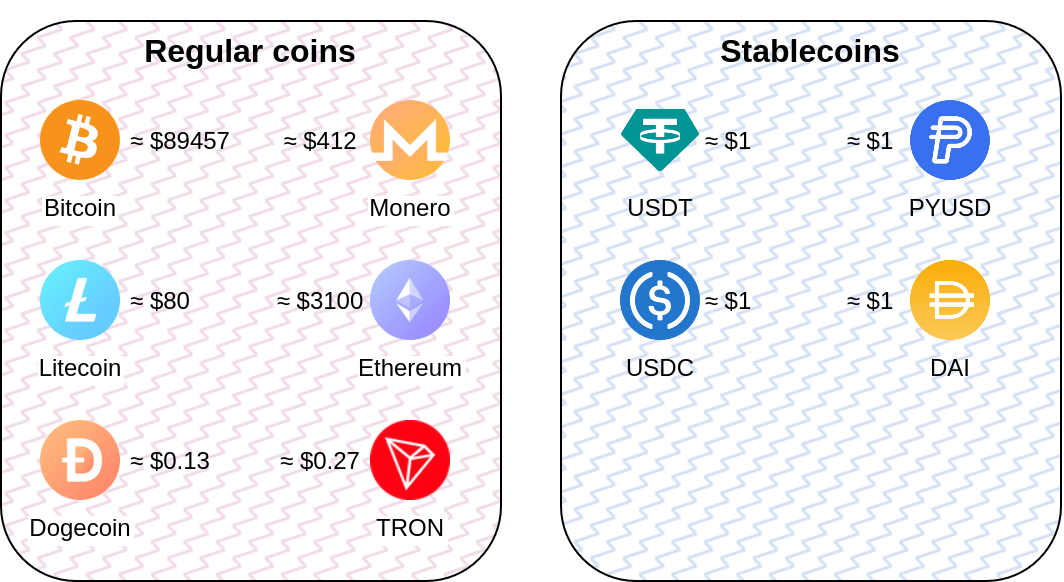
There are two major types of cryptocurrency:
Regular coins are Bitcoin (BTC),
Litecoin (LTC), Ethereum (ETH), Monero
(XMR)
Stablecoins are Tether (USDT),
Ciscle’s USDC, Binance USD (BUSD),
PayPal USD (PYUSD)
There are thousands of coins out there, we’ll focus only on a several major ones, which are commonly accepted by the merchants.
Regular coins (the Coin itself) are decentralized, not owned by a company or any single entity. They could be received by anyone from the network itself via mining process (proof-of-work), staking (proof-of-stake). Could not be manually controlled: once you have the coins, nobody could block it from you.
Stablecoins are centralize-owned by a company (USDT is owned by Tether Limited), and are issued under the control of the company. Stablecoins could be manually controlled: the code often includes address blacklist feature, which allows the company to execute legal cryptocurrency asset seizure.
Hint
You can get the list of a major cryptocurrencies at CoinMarketCap
Regular coins are running on their own blockchains (networks), where each store only their own transactions.
But some regular coins have so advanced blockchain that they allow
another coins to run on top of them.
That’s how stablecoins are implemented: they don’t have their own
(native) blockchain, but are reusing the advanced blockchain of other
coins, usually several of them simultaneously.
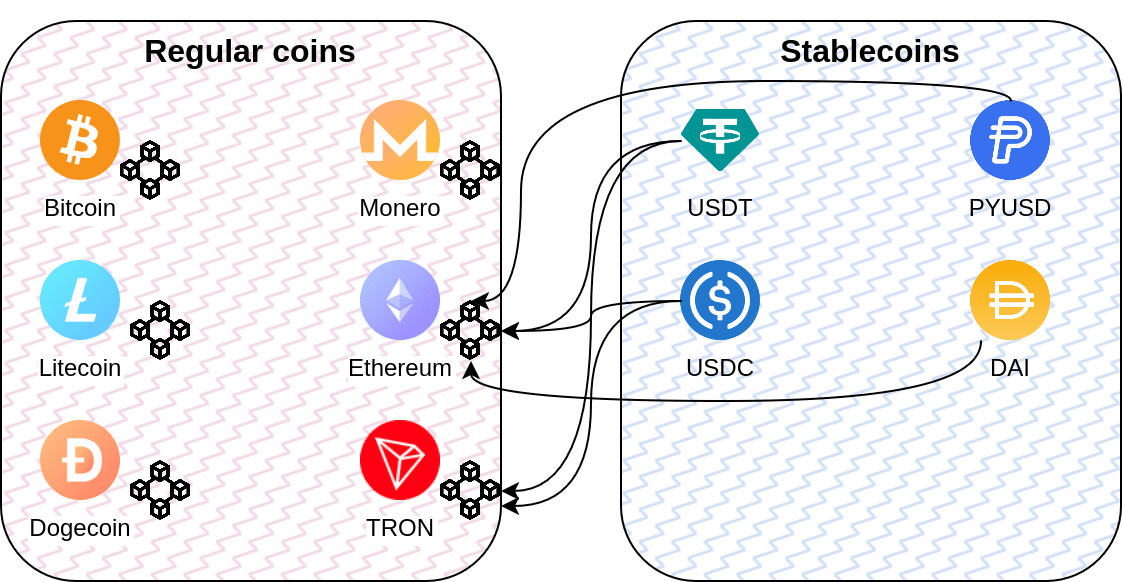
That’s why if you want to transfer stablecoins, you’re told to do that in exact blockchain network.
USDT @ Ethereum (ETH, or ERC-20) means transaction of
Tether USDT in Ethereum network (using
ERC-20 specification)USDT @ TRON (TRX, or TRC-20) means the same in
Tron network (using TRC-20 specification)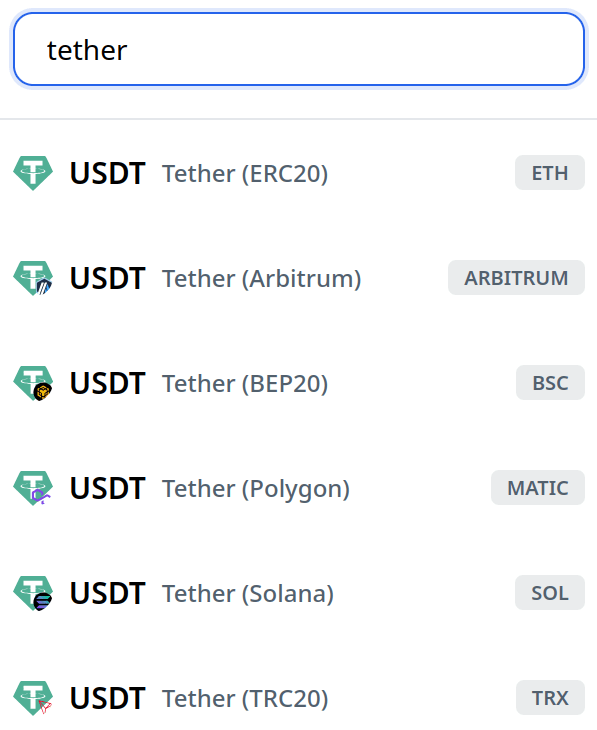
If you have USDT on Ethereum, you can’t transfer it to USDT on Tron.
You need to exchange your USDT @ ERC-20 to
USDT @ TRC-20 in the exchanger first.
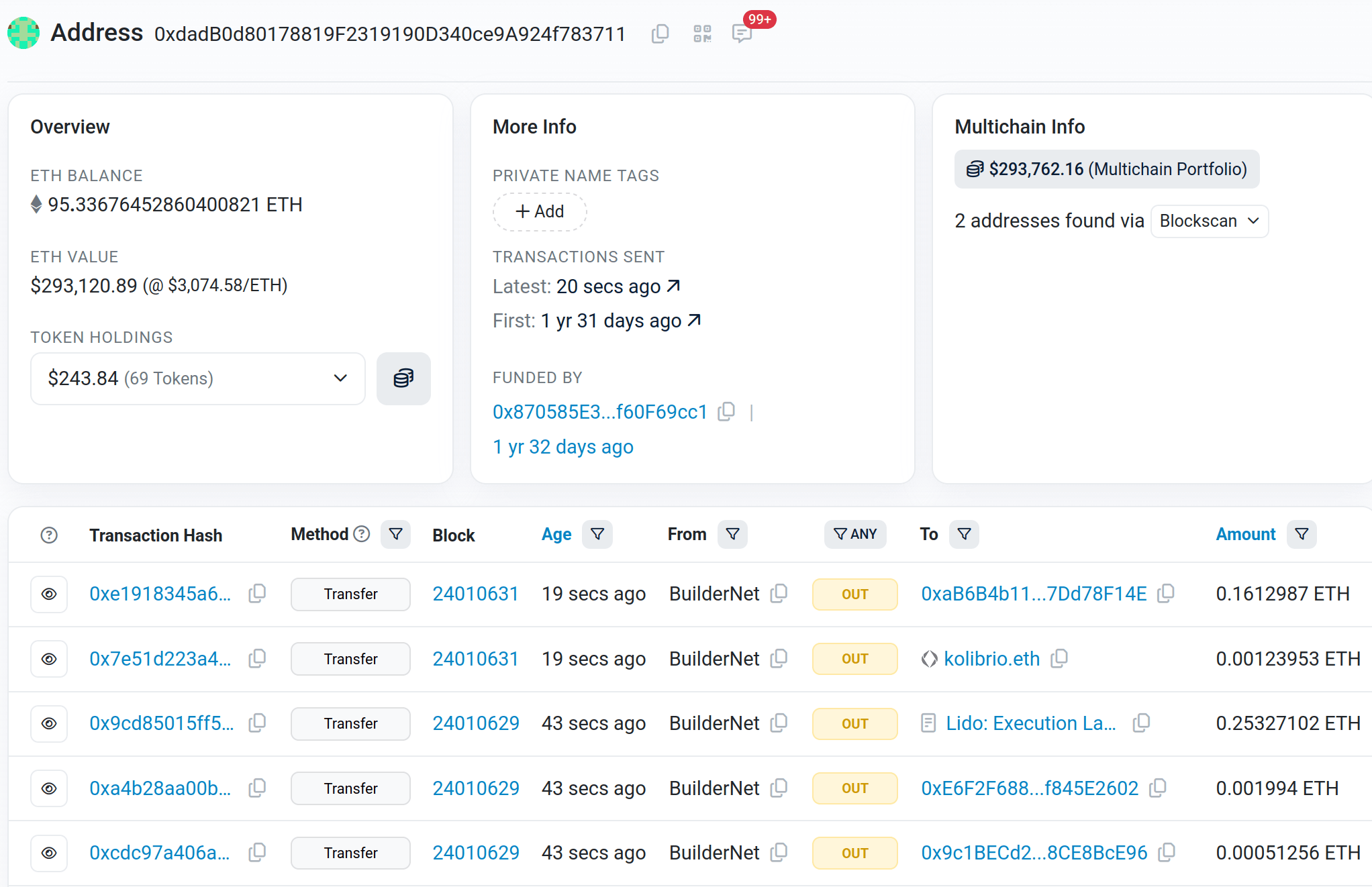
Blockchain data is public: all your transactions in both regular coins and stablecoin are visible, as well as your balances.
The exception are privacy-oriented coins:
Monero, ZCash (and others), which hide
transactions and balances. Governments don’t like them, as well as major
centralized exchanges.
There’s no stablecoins on top of privacy-oriented networks.
Hint
You can explore the state and data of the major blockchains at BlockChair, Mempool.space for Bitcoin, Etherscan for Ethereum, Tronscan for TRON
Stablecoins are tokens, implemented as smart contract
code. To execute transfer command and send your stablecoins
to elsewhere, you need to pay fee in a native blockchain
coin.
For USDT @ ERC-20, you need some Ethereums to transfer
USDTs. Same for Tron.
If you give somebody your fresh Ethereum address with zero transactions
and they send you stablecoin, you won’t be able to transfer it without
topping-up the address with ETH first.
Some networks have negligible fees, some have substantial and/or volatile (but have ways to reduce it). Fee could be manually controlled per transaction, lower fees reduce transaction priority, which might affect transaction speed.
| Cryptocurrency | Avg Time (6 confirmations) | Typical Fee (USD) |
|---|---|---|
| Bitcoin (BTC) | 30-120 minutes (often ~50 minutes) | $0.30–$1.5 (variable with congestion) |
| Bitcoin Cash (BCH) | 30-120 minutes | < $0.01 (negligible) |
| Litecoin (LTC) | 5-25 minutes | < $0.01 (negligible) |
| Monero (XMR) | 15-30 minutes (10 confirmations) | $0.001–$0.1 |
| Ethereum (ETH) + stablecoins | Under 1 minute | $0.05-$3 (highly variable, gas-dependent) |
| Tron (TRX) + stablecoins | Under 1 minute | < $0.01 for TRX, but $1.7-$3.6 for stablecoins (tokens) |
Hint
- USDT fees could be checked at gasfeesnow.com
- Regular coin fees are visible at blockchair.com
- Best resource for Bitcoin is mempool.space
- Historical data is available at bitinfocharts.com
The applications I use.
All are non-custodial a.k.a self-custodial: you own the private key, you
own the money. There’s no (central) service.
For all the stablecoins and most of “advanced” networks you’ll need a browser-based application, usually a browser extension or Electron application.
Note
Some of multi-coin wallets earn money by including their fee in your transactions. I recommend avoiding them. There are none of these in the list.
Electrum, Electron and Feather have very similar user
interface.
Let’s use Electrum (Bitcoin BTC client) as an example.
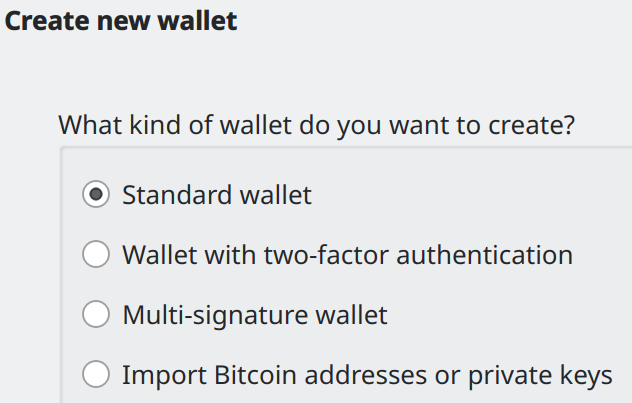
Create standard wallet. Other types are advanced and out of scope of this tutorial.
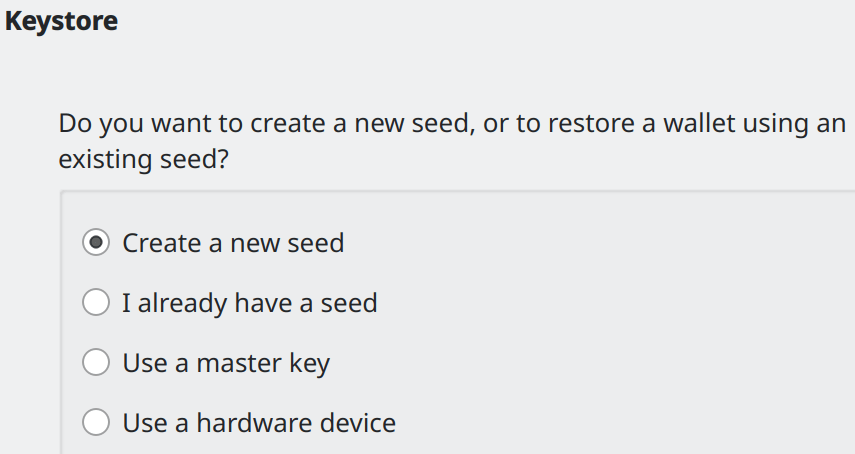
Create a new seed.
Seed phrase (or mnemonic phrase) is a cornerstone of the access to
your wallet, and should be held private at all times.
Seed is a master key to all of your addresses (a master key
of all the private keys), with which you can restore your wallet if you
lose the wallet file, or forget the password for the file.
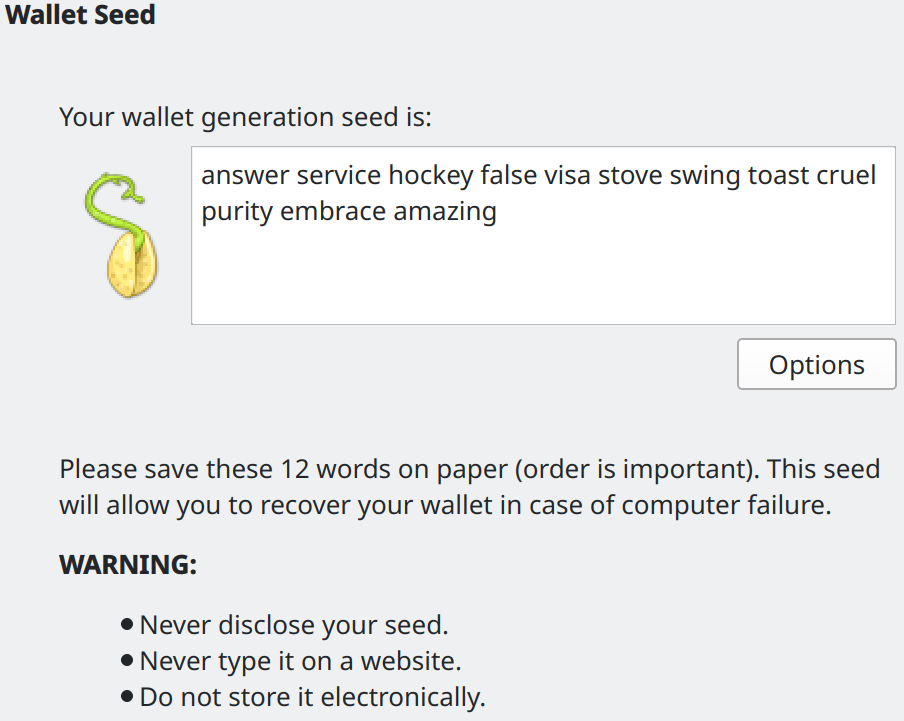
Don’t reveal your seed, don’t send it to anyone. This screenshot is only for the demonstration purposes.
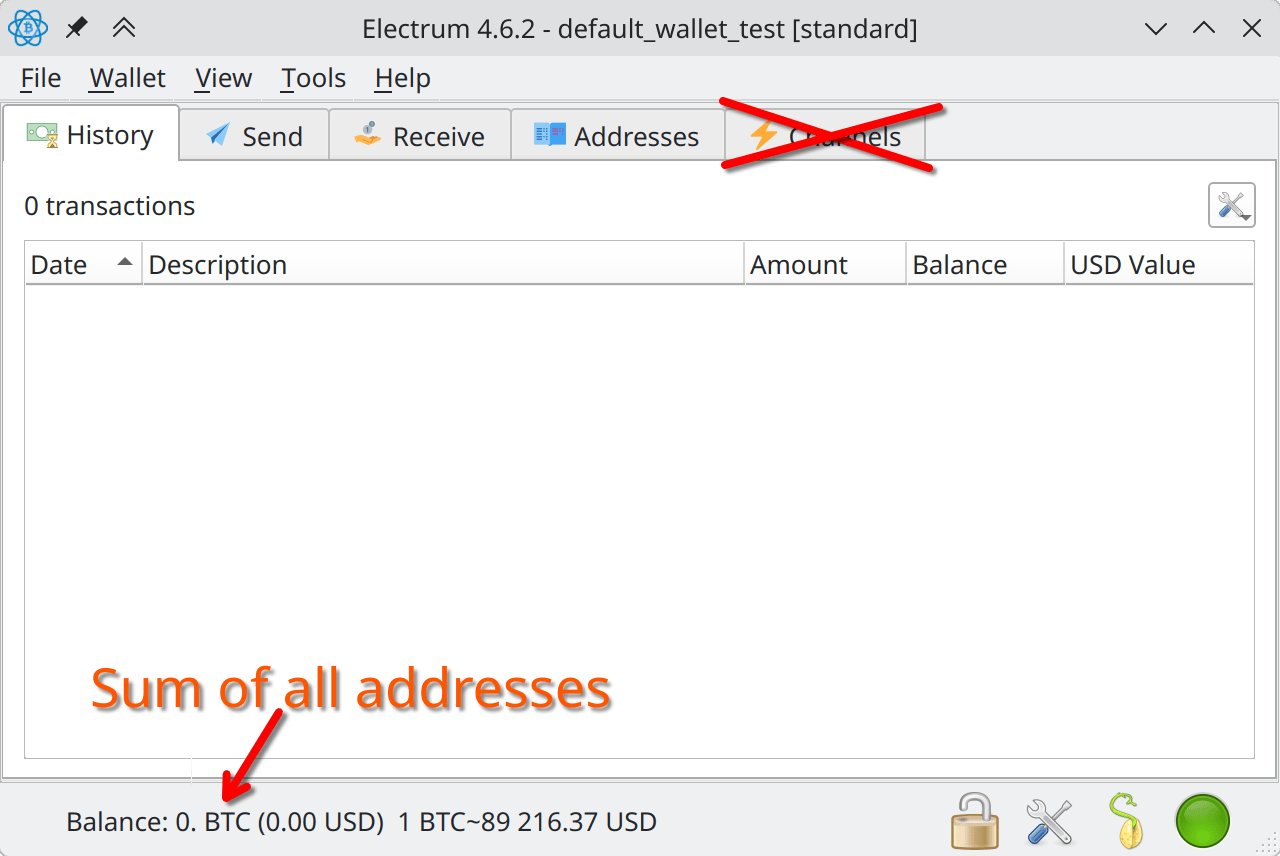
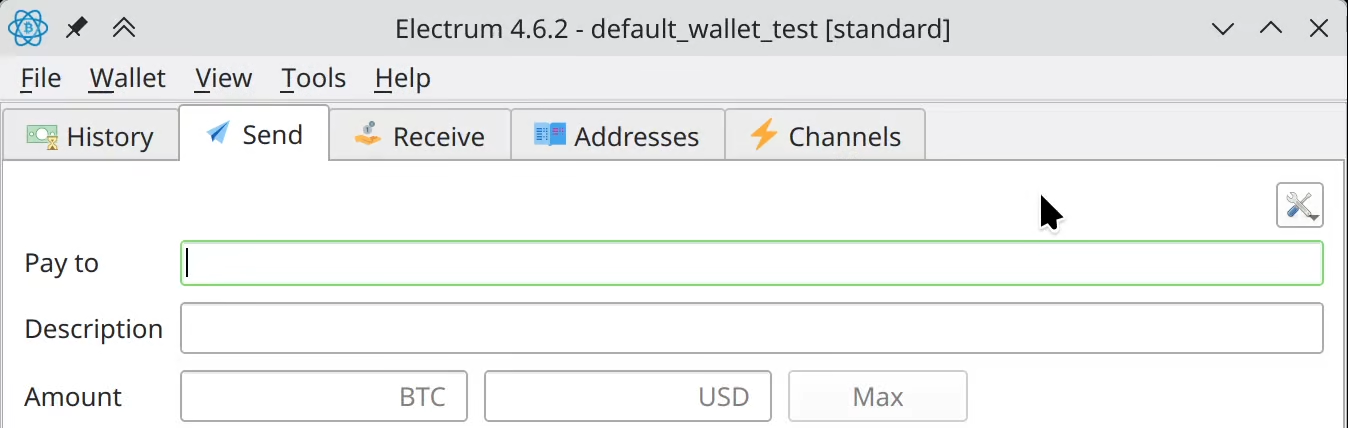
The main interface consists of the following tabs:
receive tabPlease don’t use the Channels tab: it
is for Lightning Network, which is out of scope of this
tutorial.
In the receive tab, you can create payment request for the other person, and send them the URI (link), which includes:
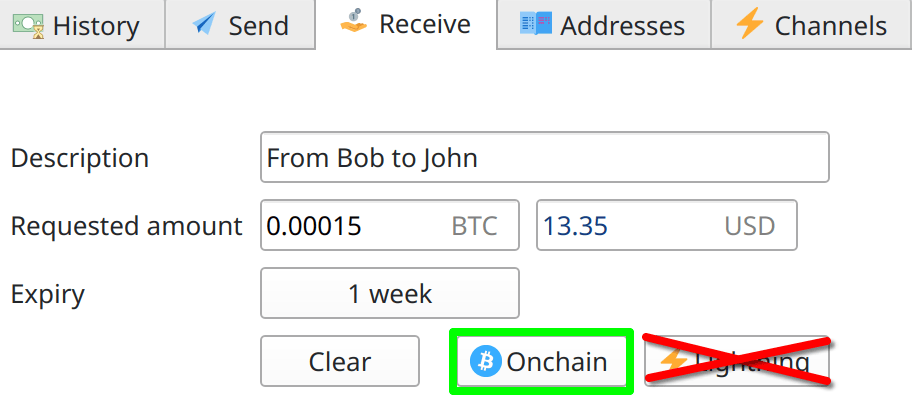
Use the “regular” Bitcoin onchain (on the blockchain), not the Lightning network (which requires special handling and is out of scope of this tutorial)
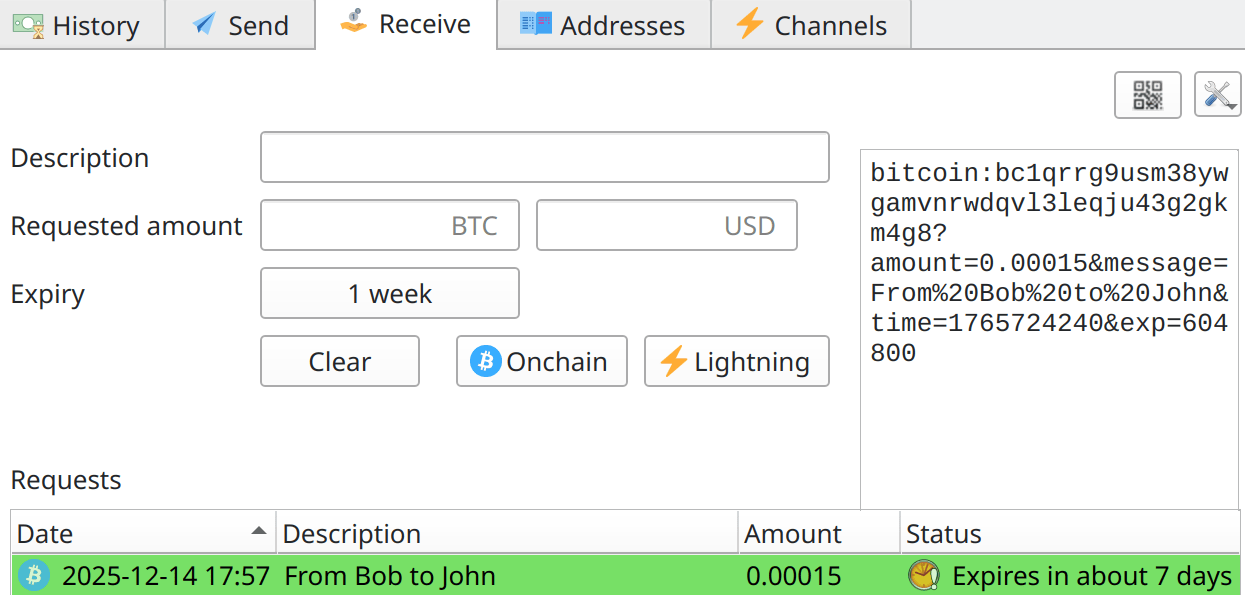
The generated link is on the right. With the QR code button you can generate QR code as well.
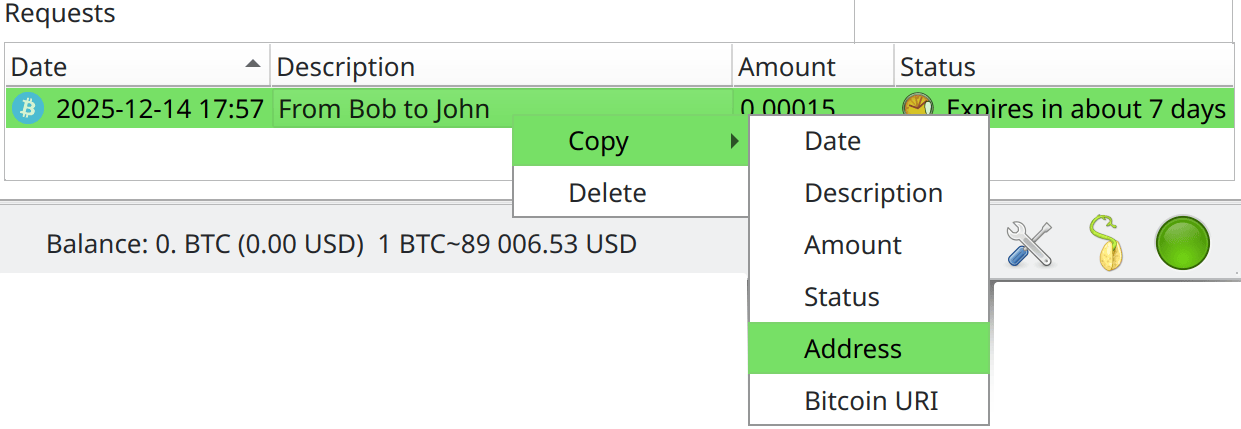
Only address (not the whole URI) could be copied by right-clicking on
the request inside requests field.
Let’s take a look at send tab.
Once you paste the address you want to send cryptocurrency to, set
the amount, and press Pay button, the following window
appears.
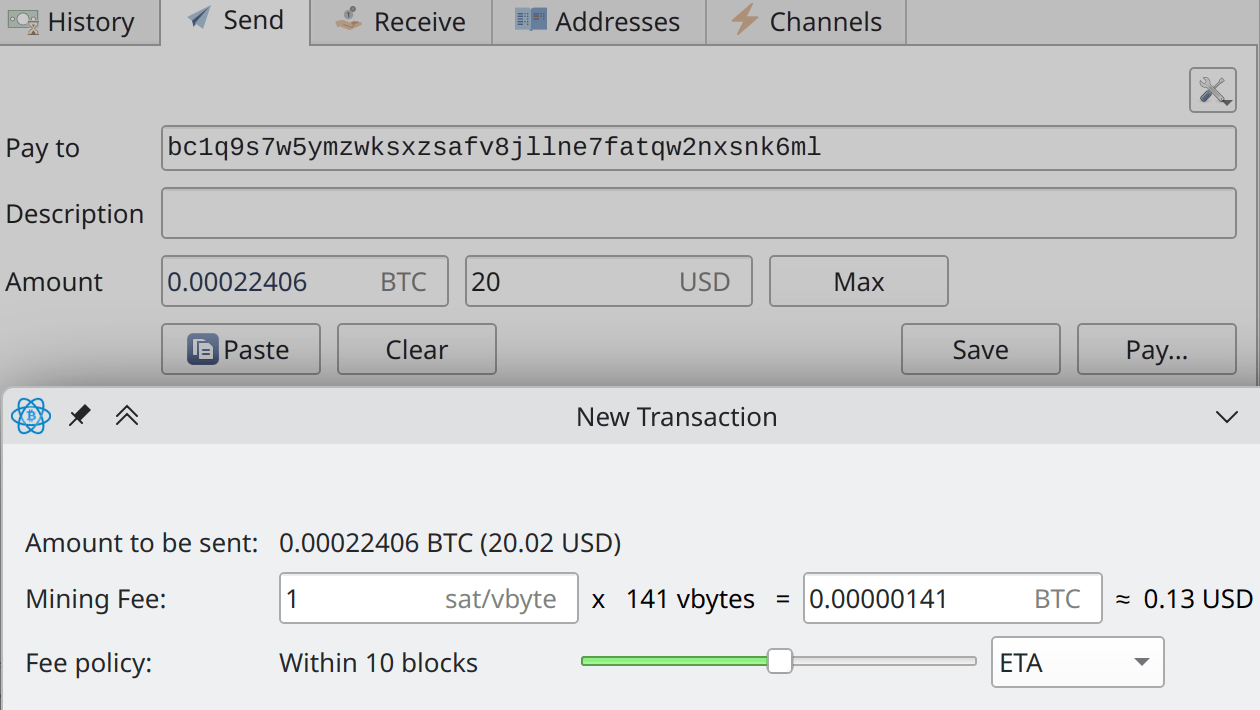
Here you can see and set the fee which would be used for this transaction.
There are two fee calculating algorithms based on market conditions:
Use either of them, keep the slider in center. That will ensure that your transaction is processed in the reasonable time.
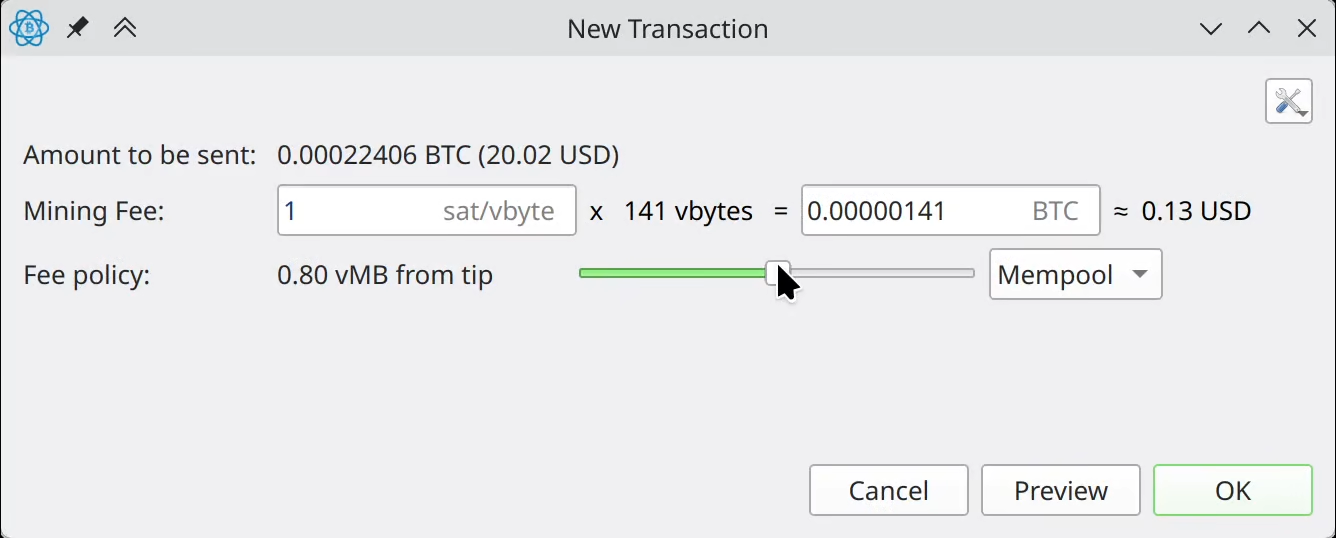
If your goal is to send coins with the minimal fees (e.g. donation),
check the Low Priority information on mempool.space and don’t go lower than
that.
The transaction could take up to 2 days to process.
Hint
You can read more on the fee estimation algorithm here
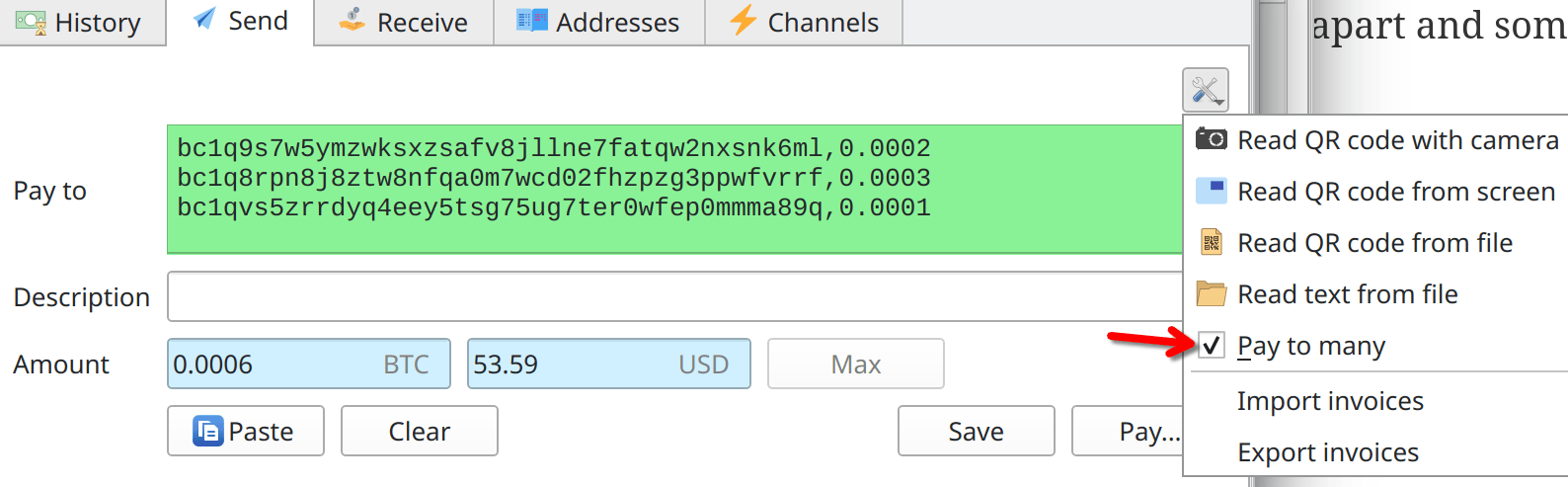
To save on fees and (mainly) on processing time, you can send to many addresses in a single transaction.
To do that, check the pay to many option and write the
address,amount in Pay To field, each on each
line.
Note
If your PC is infected with stealer or keylogger malware, the attacker knows your seed phrase and controls your wallet.
Hardware wallets keep secret data inside separate device, allowing to use cryptowallets even in untrusted environment.
Exchange between different cryptocurrencies and blockchains:
TODO more
If you want to pay for the digital goods or services which accept
cryptocurrency payments, either Bitcoin or Ethereum are considered the
universal standard and accepted everywhere.
Bitcoin Cash and Litecoin are also usually accepted, and have lower fees
and transaction times.
For stablecoins, your best bet is USDT on Ethereum or TRON for non-EU
citizens, USDC for EU citizens.
Tether USDT is delisted
on exchangers for European users due to Markets in Crypto-Assets
Regulation (MiCA) decision.
Yes, you can use testnets of the networks, and ask for
testnet Bitcoins (or other currency) on the testnet faucets.
One of these is Bitcoin Testnet
Faucet (and another
one), which allows you to request 0.0001 testnet BTC every 24
hours.
Run Electrum with --testnet argument to connect to
testnet.
Hint
Use different wallets (files, seed phrases) for testnet to prevent accidents
The simplest method is to just publish one of your addresses on your
website, blog, youtube channel.
Take a look at archive.org donation
page
Hint
Archive.org does not state the network for USDT and USDC, expecting these stablecoins on any blockchain (Ethereum is their main I guess).
Some software, such as Electrum, support OpenAlias, a simple DNS TXT record which allows to “pay to the website domain”.